Email Spam Checker
Have you ever tried using a Free Email Spam Checker?So you have a mailing list. You use it to send out offers and sales pitches to your prospective clients. But your open rate is just 10%. Imagine you could increase this to 40, 50 or even 60%. Now, how would this affect your business today? Most email clients like gmail.com / outlook and even large sending systems like MailChimp and most of the others won’t tell you that your message or your offer/service is not being seen because it’s in the spam folder. It’s time to start using a spam checker today.
Changing just a few simple things, your message is more likely to be seen by your target audience. Therefore increasing the chances of you getting a sale on that important message you are sending and wanting to get across.
Here are just a few free email spam checkers and ways you can make sure your message won’t land up in a spam filter.
How to Check Your Email For Spam Triggers
By using the below email spam checkers you will increase your deliverability.
Using IsNotSpam to Increased Your Deliverability
So our first email spam checker is very simple to use. Here is a list of the Pro’s and Cons with using IsNotSpam.
Pro’s of using IsNotSpam
- Gives you Instant results
- Tips on how to Improve your email delivery
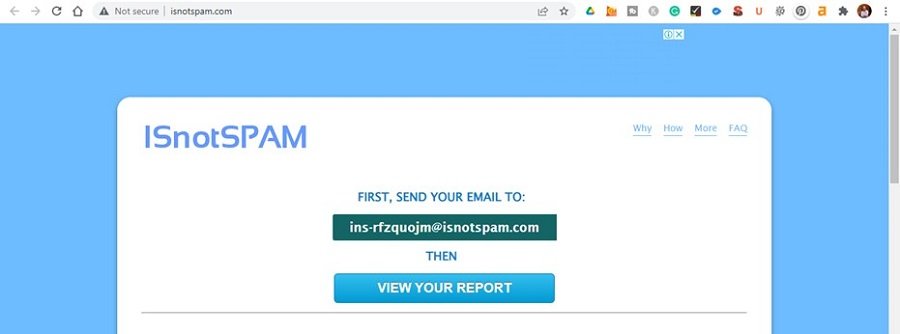
Open the IsnotSpam link here.
Simply send an email to the unique email address they provide you with.
IE: ins-rfzquojm@isnotspam.com (Don’t use this one)
Wait 15 – 30 seconds and then press the View Your Report button.
Look for your Spam score.
Cons of The IsNotSpam Report
While the report is very detailed, there is way too much information on the page.
It can be hard to understand everything, however, don’t worry. There is one main thing you need to check. Your Spam Score.
On the other Spam checkers these give you various sections of issues that you can resolve.
What to Check on this Report
Check your spam assassin score.
This is easy to find and below is a screenshot showing you an example.
Ideally, you need to keep your score below 5. In other words, anything from 4.9 and lower.
Most ISP & Email service providers will block mail that scores 5 and above.
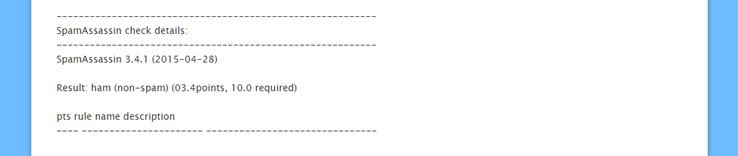
The above report shows a score of 3.4 out of 10. This score relates to the structure of the email and the words you have used.
Based on this score your message should not be picked up as spammy by the various spam filters and your mail should land in the desired recipient’s inbox.
If your score is above 4.9, change various elements of your email message and do another test. I suggest changing one small thing at a time and redoing the test. More about how to increase your deliverables a bit later.
Mail Genius – Your Free Email Spam Checker

Mail Genius – Your Free Email Spam Checker and Tester
Has to be my favourite free email spam checker on this list of products to use. The interface is clear and the reporting is divided into various sections that are clearly understandable and actionable by anyone using it for the first time.
Simply open the browser and you will be presented with a unique email address. IE: test-c31cd3@test.mailgenius.com (Don’t use this one but rather the one that is given on the page.
Send an email to the address provided and you will get a free email spam check along with being presented with a detailed report. This report will outline various aspects of your message and delivery system to improve upon. Your Delivery system could be Office 365 / Outlook / Gmail or a host of others you might be using.

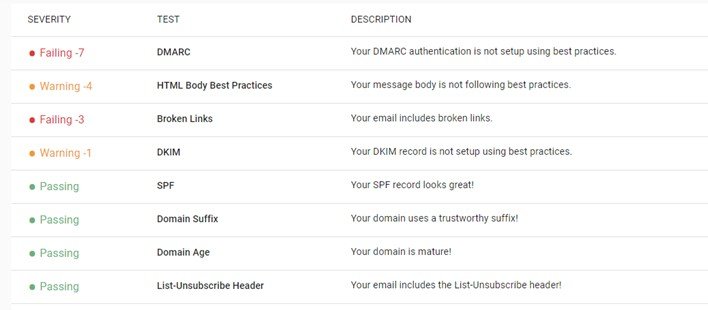
Your Detailed Report is Broken Down as Follows
DMARC:
Without having a requested mail receiver DMARC policy published, emails from your domain can be spoofed and sent on your behalf.
HTML:
Your HTML body has a significant impact on whether or not your email will be marked as spam. HTML is parsed and evaluated by Email Service Providers to determine if it is following best practices that are favourably viewed when inboxing.
Broken Links:
Having broken links in your email body can cause Email Service Providers to mark your message as spam.
DKIM:
Publishing a DKIM key will reduce the likelihood of your messages being blocked or ending up in the spam folder. It will also prevent spoofing by adding a digital signature to your email headers.
SPF:
A valid SPF record will prevent spammers from sending spam from your domain.
Domain Suffixes:
Certain domain suffixes are less likely to reach the inbox.
Domain Age:
The younger your domain is, the more difficult it is to attain a great domain reputation.
Unsubscribe Link:
Spam complaints are the #1 factor that will hurt your email deliverability. Including an easy unsubscribe mechanism effectively helps prevent these spam complaints. Email Service Providers and spam filters also view it favourably when they make inboxing decisions.
Listed as a Blacklist Domain:
Certain blacklists can have a severe affect on the ability to reach the inbox. Use this link to check your blacklisting status and what to do if you are registered here.
Short URL’S:
Using shortened URLs to track receiver behaviour can cause spam filters to flag your email.
Email Subject Lines:
The subject line is parsed and analyzed by spam filters and can cause your email to miss the inbox.
Blacklisted Links:
Having a blacklisted link in your email body can cause your message to be flagged as spam or rejected.
Blacklisted IP Address:
Not only can your domain be blacklisted, but the IP address from which you send your emails can as well. If this “Mail Server IP” is blacklisted it can cause your messages to be rejected or flagged as spam. It is important to get delisted and identify the root cause of why you were listed. If you use any tools/software to send out emails, it is possible that the shared or dedicated IP address being used by these is on a blacklist. Certain blacklists can have a severe effect on the ability to reach the inbox. We have aggregated a list of ones known to be meaningful. Click here to check your Domain and IP Blacklisting.
Reverse DNS:
Email Service Providers like Gmail, Yahoo, etc. may block emails coming from a mail server that does not have Reverse DNS in place.
SpamAssassin Score:
Spam Assassin is a widely used anti-spam platform and is a valuable proxy when gauging whether or not your email will be flagged as spam by major Email Service Providers.
Mail Tester – Another Free Email Spam Checker
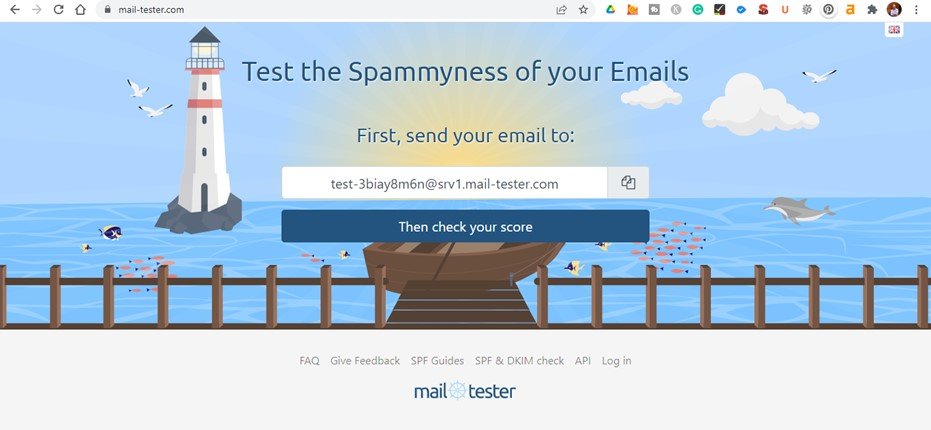
While this email testing system is very similar to Mail Genius, I have noticed a few errors that I want to bring to your attention.
Purposefully, I created a broken link. Now surely you won’t send out a message with a broken link. Mail Tester says that my email is perfect and ready to send out, even though there is a broken link. The system also scored by email 9.5 / 10. An almost perfect score. However, I would strongly recommend fixing the various broken elements before sending out an email.
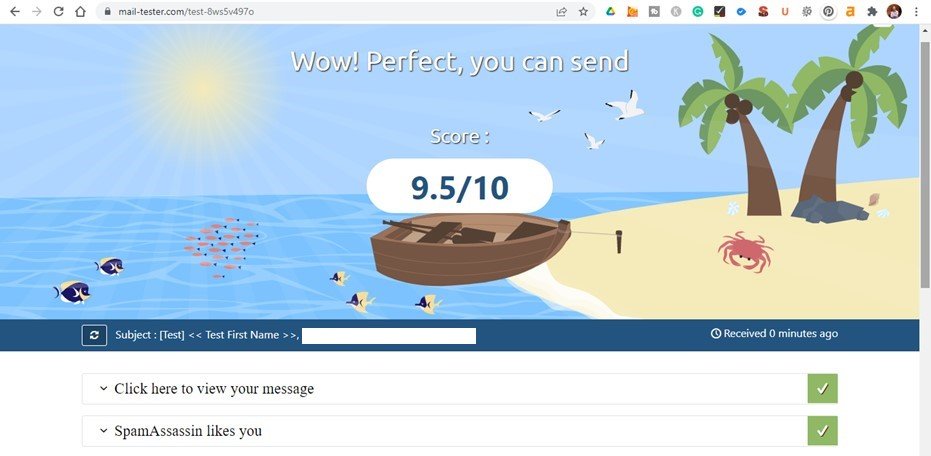
Mail Tester Full Free Email Spam Tester and Report
As you can see from the below report from Mail Tester, there are still various important elements to improve upon. However, they are giving me a 9.5 / 10 score.
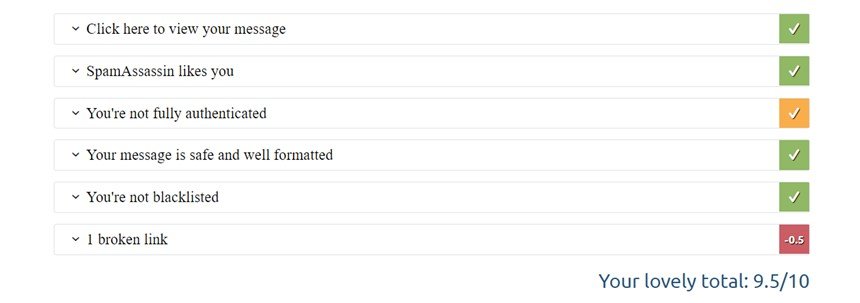
UnSpam Email Spam Checker and Heat Map Prediction
This has to be the most comprehensive and accurate tool on the list. This free email spam checker gives you everything you need to know. Therefore highlight various areas to ensure your message gets delivered. While the heat map predicts where the user’s eyes will be most attracted to your message. Therefore, you can ensure to put the most important part of your message in those places.

Detailed and Accurate Free Email Spam Checker
I found UnSpam to be the most accurate of all the various tools out there. With a simple to read and understand interface, you are quickly able to see the various improvements you need to make. Along with why you need to make them in order to get your message read.
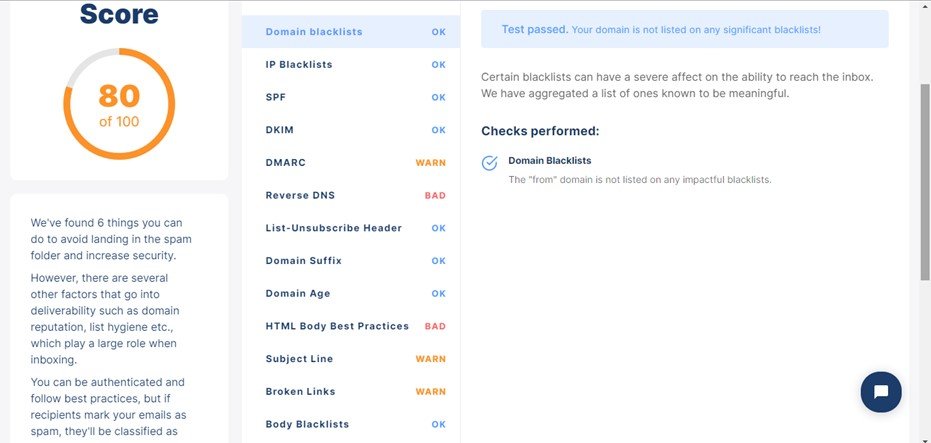
Experte is a Unique Free Email Spam Checker
There is one really unique tool from this service that will help your messages get delivered. The Gmail testing tool, see below how this can assist with getting your message across.
Gmail testing:
Gmail is the most widely used email provider in this world, and it’s easy to see why. We use their spam filter all day long so we know what makes an effective message! The Experte Spam Checker tests whether your emails end up being labelled as spam by Gmail’s software. It does what others can’t. Once again, change one small thing on your email message and test again and again till you get the desired results. Changing too many things at a time might end up being confusing to see what improved your deliverability and what doesn’t in the end. Take your time. After all, you want your message to be read.
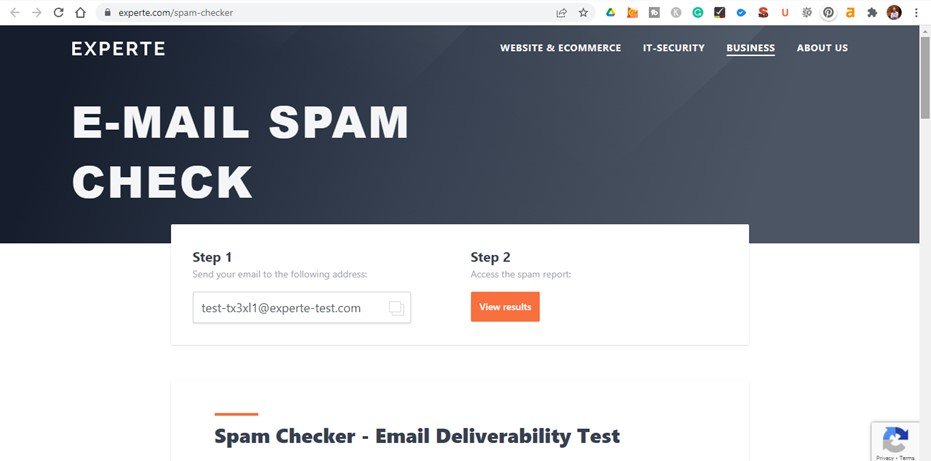
Your Experte Free Email Spam Checker Report
As I am sure you have noticed. Each tool is unique and gives a slightly different report. Hence I suggest you use all of them once you have done the basics to improve your email spam issues. All the tests have been done on exactly the same email, the same email was sent to each testing provider. So why are there different scores? Well, each tool has its own scoring system. Some focus more on subject lines and others on the technical aspects like Dmarc and Dkim settings.

Business Articles You Should Read
Having started various entrepreneurial ventures in my life I have come across all sorts of obstacles.
Read about my past business ventures here.
Free Email Marketing within WordPress.